Hi friends, You download Epson Adjustment Program L3110 with just One click. how to use this software on your computer, please follow the step-by-step guidelines…
About Printer: The Epson L3110 printer is an easy-to-use and dependable home and small office printing device. If you are having trouble with it, a simple solution may be available in the form of an Epson Adjustment Program L3110 Free Download (Epson L3110 Resetter Tool).
Important Notes: Please check Printer Epson status monitor 3, Before downloading the Epson L3110 Resetter. First, know your printer problem, then fix it.
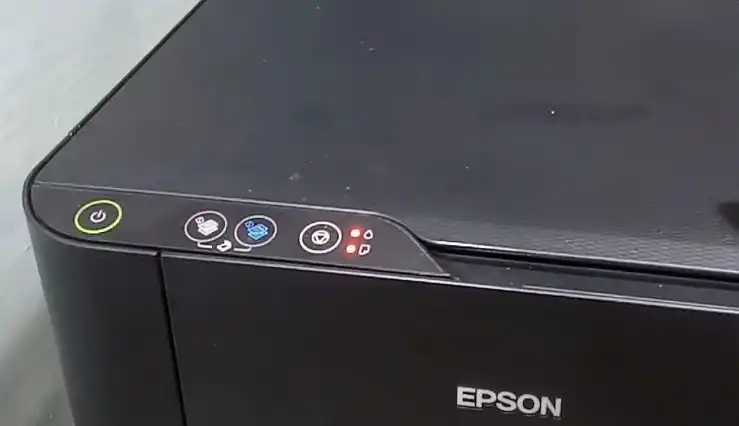
Red light blinking is an indication that something is wrong with your printer. It’s essential to reset the printer to get it working again. Some Epson printers have a blinking light that indicates some problems.
It is a red light on the printer that blinks repeatedly or rapidly. When you press the power button to turn off your printer, the flashing light may continue and even get brighter.
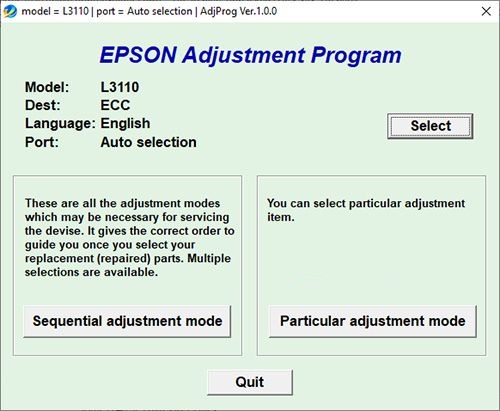
Epson l3100, l3101, l3110, l3115, l3116, l3150 Resetter Download
The Epson L3100, L3101, L3110, L3115, and L3116 Resetters give you the power to reset your inkjet printer to factory defaults – preserving all your inkjet settings in the process. The l3100 is a quick and easy Crack download that takes less than 10 minutes. The l3101 and l3110 are both more comprehensive resetters with more features. Epson adjustment program L3110
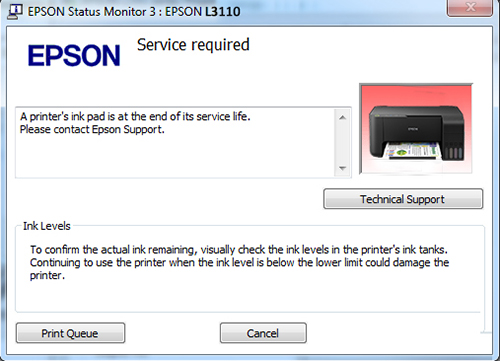
Service required Kya hai?
When the Epson l3110 “Service Required” error red light starts blinking, the printer has detected a problem that requires attention. In most cases, this error is caused by an issue with the ink system, and resetting the ink can often resolve the issue. But, if all the lights on the printer are blinking. It means the printer has reached the end of its life and requires service.
Download the Epson Adjustment program L3110
Note: Download Resetter On Firefox, Opera, or Safari (Browser).
Epson L3110 Adjustment Program
Password: 12345
How to Reset Epson L3110 | Step by Step
- “Turn on” your printer by Connect the USB cable
- From the Zip folder, extract the file
- Now open the Adjprog.exe file
- Click on the Accept button
- Next, click on – the select button
- And choose your printer model name ( L3110)
- Now choose port – click on Ok
- Now select the particular adjustment mode
- Next, select the waste ink pad counter
- Click on the OK button
- Now, click on the checkbox main pad counter
- After clicking on the “ok” button to initialize(communication error)
- Next, “turn off” your Printer, and restart it.
- Restart the Printer to clear 100% Ink Pad Levels
Problem of Epsion L3110 Blinking