Sale!

Epson L3156 Resetter Download (Email Delivery)
Original price was: ₹299.00.₹100.00Current price is: ₹100.00.
Description
How to reset Epson L3156 Model (Service required | red Lights one By One Blinking)
- Model Select & Selected Default: L3156,
- Select USB Port (Exp: USB00L3150)
- Then Click On > Particular Adjustment Mode
- Nest Step Maintenance > Waste Ink Pad Counter > ok
- Main Pad Counter > Check (100%) Point
- Select Main Pad Counter > Initialize
- Click the Ok Button. (Some Times Not Responding)
- The printer turns off And Turn on Try Again.
- Last Step printer Power off And Power-On (Restart Printer)
- Your Printer Reset is done.
Product Available & Anydesk Support 10 Am to 5 Pm
- Multi Pc Support Compatible with Epson L3156, L3150, 3110
- Epson L3156 Resetter Download & Reset Ink Pad.
- Reset Waste Ink Pad Counter 100% Working.
- Instant download Button & Password Button.
- Epson L3156 Lifetime working Virus-free.
- Epson adjustment program download
- Whatsapp Support – (91)
How to reset Epson L3156 Printer Watch video
30 reviews for Epson L3156 Resetter Download (Email Delivery)
Related products
-
Sale!
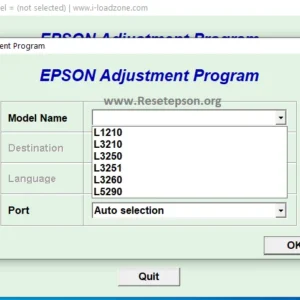
Epson L3210 Resetter (L3200 L3211 L3215 L3216 L3250 L3256 L3260 Series)
Original price was: ₹299.00.₹199.00Current price is: ₹199.00. Add to cart -
Sale!

Epson L130 Resetter Download (Email & Instant Download)
Original price was: ₹299.00.₹100.00Current price is: ₹100.00. Add to cart -
Sale!

Epson L3152 Resetter Download (Email Delivery)
Original price was: ₹299.00.₹100.00Current price is: ₹100.00. Add to cart -
Sale!

Epson L3115 Resetter Download (Email Delivery)
Original price was: ₹299.00.₹100.00Current price is: ₹100.00. Add to cart
brahul –
wow, effective nga,,thanks a lot big help ang article nyo,😊God Bless po
motira –
My printer wasn’t printing magenta so I tried this and now it is printing magenta but stopped printing yellow LOL
ziaul –
cyan palang po ang bumalik na kulay. need ko pa po bang ulitin ngayon ang power cleaning or next day palang po ulit? thank you po
m –
Thnx so much guru Mera problem solve ho gaya
hamresh –
Thank you very much brother