- You cannot add "Epson L3100 Resetter Download (Email Delivery)" to the cart because the product is out of stock.
Sale!

Epson L5290 Adjustment Program Download Latest Version 2026
Original price was: ₹499.00.₹200.00Current price is: ₹200.00.
Description
How to reset Epson L5290 Model
(Service required | red Lights one By One Blinking)
- Model Select & Selected Default: L5290,
- Select USB Port (Exp: USB00L5290)
- Then Click On > Particular Adjustment Mode
- Nest Step Maintenance > Waste Ink Pad Counter > ok
- Main Pad Counter > Check (100%) Point
- Select Main Pad Counter > Initialize
- Click the Ok Button. (Some Times Not Responding)
- The printer turns off And Turn on Try Again.
- Last Step printer Power off And Power-On (Restart Printer)
- Your Printer Reset is done.
If you don’t receive the file email, send me a message on WhatsApp. We will help.. We will help. (Anydesk Support 10 Am to 5 Pm)
- Epson L5290 Resetter Download & Reset Ink Pad.
- Reset Waste Ink Pad Counter 100% Working.
- Use Software Multi PC & L5290 Printers.
- Instant download Button & Password Button.
- Epson L5290 Lifetime working Virus-free.
- Epson adjustment program download
- Whatsapp Support – ()
How to Reset Epson L5290 Printer Watch video (L5190 & L5290 Same Steps)
25 reviews for Epson L5290 Adjustment Program Download Latest Version 2026
Related products
-
Sale!

Epson L130 Resetter Download (Email & Instant Download)
Original price was: ₹499.00.₹200.00Current price is: ₹200.00. Read more -
Sale!

Epson L3100 Resetter Download (Email Delivery)
Original price was: ₹499.00.₹200.00Current price is: ₹200.00. Read more -
Sale!

Epson L3152 Resetter Download (Email Delivery)
Original price was: ₹499.00.₹200.00Current price is: ₹200.00. Read more -
Sale!
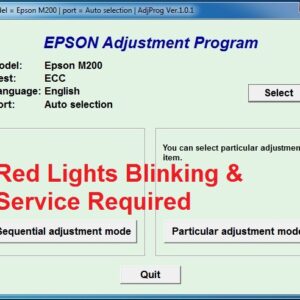
Epson M200-M205 Resetter Download (Anydesk Support ₹150)
Original price was: ₹499.00.₹200.00Current price is: ₹200.00. Read more
madhesan –
Super helpful, I thought my printer was broken. Thank you so much!
anilcha –
Nice work. I can solve it!Thanks lots
rajesh –
Thank you so much i have been trying from a very long time.
nagraj –
Thank you very much I solved my printer problem as you guided it working greatly now
balaji –
Nice and helpful video save money and time thanks very much