- You cannot add "Epson L3210 Resetter (L3200 L3211 L3215 L3216 L3250 L3256 L3260 Series)" to the cart because the product is out of stock.
Sale!

Epson M200-M205 Resetter Download (Anydesk Support ₹150)
Original price was: ₹299.00.₹100.00Current price is: ₹100.00.
Description
How to reset Epson M200 Model (Service required | red Lights one By One Blinking)
- Model Select & Selected Default: M200,
- Select USB Port (Exp: USB00M200)
- Then Click On > Particular Adjustment Mode
- Nest Step Maintenance > Waste Ink Pad Counter > ok
- Main Pad Counter > Check (100%) Point
- Select Main Pad Counter > Initialize
- Click the Ok Button. (Some Times Not Responding)
- The printer turns off And Turn on Try Again.
- Last Step printer Power off And Power-On (Restart Printer)
- Your Printer Reset is done.
How to reset Epson M200 Printer Watch video
30 reviews for Epson M200-M205 Resetter Download (Anydesk Support ₹150)
Related products
-
Sale!

Epson L3101 Resetter Download (Email Delivery)
Original price was: ₹299.00.₹100.00Current price is: ₹100.00. Read more -
Sale!
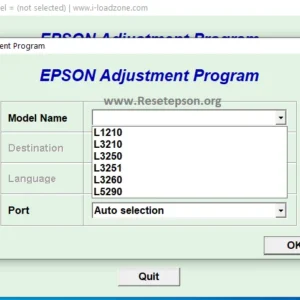
Epson L3210 Resetter (L3200 L3211 L3215 L3216 L3250 L3256 L3260 Series)
Original price was: ₹299.00.₹199.00Current price is: ₹199.00. Read more -
Sale!

Epson L3100 Resetter Download (Email Delivery)
Original price was: ₹299.00.₹100.00Current price is: ₹100.00. Read more -
Sale!

Epson L1800 Resetter Download (Email Delivery)
Original price was: ₹299.00.₹100.00Current price is: ₹100.00. Read more
suchit –
Thank you brother, I have solved my red light blinking. Thank you once again.
kamlesh –
100% problem got solved by your video, thank you very much sir, I saved Rs 300 for you, thank you so much sir.
ver –
thank you
murali –
Thank you mam for this article.
SADDI –
nice po mam very good