Sale!


Epson L1800 Resetter Download (Email Delivery)
Original price was: ₹199.00.₹100.00Current price is: ₹100.00.
Ask discount code
Description
How to reset Epson L1800 Model (Service required | red Lights one By One Blinking)
- Model Select & Selected Default: L1800,
- Select USB Port (Exp: USB00L1800)
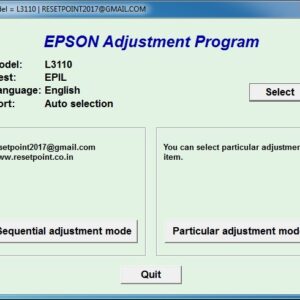
- Then Click On > Particular Adjustment Mode
- Nest Step Maintenance > Waste Ink Pad Counter > ok
- Main Pad Counter > Check (100%) Point
- Select Main Pad Counter > Initialize
- Click the Ok Button. (Some Times Not Responding)
- The printer turns off And Turn on Try Again.
- Last Step printer Power off And Power-On (Restart Printer)
- Your Printer Reset is done.
Product Available & Anydesk Support 10 Am to 5 Pm
- Epson L1800 Resetter Download & Reset Ink Pad.
- Reset Waste Ink Pad Counter 100% Working.
- Use Software Multi PC & L1800 Printers.
- Instant download Button & Password Button.
- Epson L1800 Lifetime working Virus-free.
- Epson adjustment program download
- Whatsapp Support – (91)
How to reset Epson L1800 Printer Watch video
37 reviews for Epson L1800 Resetter Download (Email Delivery)
Related products
-
Sale!
Epson L3116 Resetter Download (Email Delivery)
Original price was: ₹199.00.₹100.00Current price is: ₹100.00. Add to cart -
Sale!

Epson L3118 Resetter Download (Email Delivery)
Original price was: ₹199.00.₹100.00Current price is: ₹100.00. Add to cart -
Sale!

Epson L3100 Resetter Download (Email Delivery)
Original price was: ₹199.00.₹100.00Current price is: ₹100.00. Add to cart -
Sale!

Epson L3152 Resetter Download (Email Delivery)
Original price was: ₹199.00.₹100.00Current price is: ₹100.00. Add to cart
kroshan –
I’ve spent 10mins just to fix my printer, thank you so much 100% working!!
mohan –
Most good the way is, till now no such post of yours has been made like the one you have made, thank you very much.
mirash –
Brother, thank you very much. I also had the same problem with my printer, and it got fixed, so I’m thankful for your post.
data –
The printer head is not moving, and two red lights are blinking at the last button on the right side. Therefore, no soft copy printing or any photocopy printing. How to move the printer head to start any function?
lakshmi –
Brother, thank you so much. This trick worked. but its working fine now.